



Boost Front-of-House Efficiency | Simplify Operations & Save Labor

Mobile Ordering

In addition to stationary tablet ordering, eRun’s POS system can be installed and used on any mobile device across all platforms. Whether on a smartphone, iPad, or Android tablet, the unified interface provides full-featured ordering and table management. With no extra training needed, front-of-house staff can easily handle peak-hour ordering with the restaurant POS.
Customer Self-Service Ordering System (BYOD)
By scanning a QR code, customers use their personal mobile devices for contactless, paperless ordering – helping restaurant management reduce labor costs and improve order efficiency.
Our self-service ordering system meets the needs of various restaurant types:
- Guests scan the QR code on their table, order, and prepay via e-wallet on their phone
- Assign guests to a table, scan the QR code on the seating slip to order, pay after dining – the QR code can have a time limit to prevent misuse
- Fast-food guests scan a QR code posted on the wall, order, pay via mobile e-wallet or at the counter using other payment methods
- Guests scan a QR code on a takeaway flyer, select a branch, choose pickup or delivery, and settle payment via mobile e-wallet at the restaurant checkout
Self-Service Kiosk System
Run’s self-service kiosk features a sleek, minimalist design, providing high-definition menu displays and an intuitive user experience, ensuring users quickly master the self-ordering kiosk service. The system integrates ordering, e-payment, and instant receipt printing, delivering a one-stop self-service experience.
The self-service kiosk synchronizes data with the POS system, ensuring cloud backend management of menus across both the POS and all kiosks – enabling unified inventory management, loyalty program integration, and order management. Member customers enjoy consistent loyalty benefits when paying at the kiosk, enhancing their dining experience and deepening brand impression.
The self-service kiosk improves order accuracy, effectively avoiding human errors in recording items, reducing customer wait times for ordering and payment, helping restaurants lower costs, boost efficiency, and reallocate human resources to focus on business growth, further strengthening brand value and market competitiveness.
Flexible Table Management
The beautifully designed floor plan has always been a hallmark of eRun’s POS system and a key tool for improving front-of-house efficiency. The restaurant POS graphical floor plan is flexible and intuitive, supporting multi-floor table management. It clearly shows how many seats at each table are occupied, allowing quick table transfers, splitting, merging, and configuring reserved tables linked to member profiles. Functions include ordering, adding items, modifying orders, checking orders, printing, billing, smart timed dining, and table activity logs – helping front-of-house staff easily monitor table occupancy, ordering, and payment status. Table colors change based on status, and you can add/remove tables or change table shapes to accommodate special holidays or banquet events.
Color Buttons & Food Images
e
Run’s restaurant POS ordering menu includes color-coded buttons, food images, adjustable font sizes, and instant language switching – allowing restaurants to customize the ordering screen to match usage habits and improve order management efficiency. The system includes combo meal setup, extensive preparation options (doneness/cooking style), defined serving sequences and timed serving, and the ability to set limited quantities for dishes – alerting customers early when stock runs low.
The restaurant POS can hide sold-out items, includes a table-lock function to avoid duplicate orders, and allows entry of a reason when canceling an order after submission. During holidays or special events, a surcharge (e.g., +10% or +20%) can be set on the fly, helping restaurants manage point of sale services more efficiently.
Self-Service Payment Terminal
eRun’s self-service payment terminal breaks the mold by integrating all e-wallets into one machine, delivering:
- 3-second ultra-fast payment: Supports Octopus / Alipay HK / WeChat Pay – automatically switches without manual intervention
- Zero-contact experience: Guests tap their card or scan code, receipts print automatically – reducing touchpoints by 60%
- Bilingual smart interface: Traditional Chinese / English interface + intuitive icons – easy for mainland Chinese and international tourists
- Instant labor reallocation: Frees cashiers to focus on food running and table clearing
- Maximized table turnover: Handle 20 more tables during golden hours – increase revenue by a full extra round
eRun’s self-service payment terminal offers three deployment models to flexibly match existing restaurant space:
- Wall-mounted station: For tea restaurants/snack shops – install and use immediately by the door
- Counter-top flagship unit: At banquet hall exits – multiple units side-by-side to manage queues
- Floor-standing unit: Next to the checkout counter at fast-food chains – divert traffic from fixed counters
Smart Queue Management System
eRun’s smart queue management system reshapes the waiting experience with intelligent technology, solving ticketing, waiting, and call-out challenges in one solution:
- Smart ticket assignment : Supports master and secondary screens simultaneously. Guests can self-select party size, and the system automatically matches the most suitable table type – reducing wait time.
- Thoughtful request notes : When taking a ticket, guests can notify floor staff in advance about number of children and need for baby chairs – staff pre-note and prepare for smoother seating.
- Dual-screen real-time sync: Master screen intelligently calls numbers, secondary screen clearly displays current number and waiting status, with voice broadcast – guests wait stress‑free without missing their number.
- Data-driven operational optimization : The system automatically records peak-hour traffic, wait times, no-show rates, and other key metrics – helping you precisely adjust business strategies.
Reservation Management System
eRun’s reservation management system is designed specifically for front-of-house staff, simplifying the phone booking process:
- Quick customer data entry: When staff answer the phone, simply enter guest name, phone number, reservation time, and notes (e.g., window seat request) – complete booking quickly.
- Smart collision prevention: When assigning a table, the system instantly shows available tables corresponding to the guest’s reservation time – effectively avoiding double bookings. Say goodbye to table conflicts.
- Easy table status management : One-click to mark table status: “Seated” when guest arrives, “Departed” when guest leaves, or “Cancelled” for no-shows.
- Data at a glance: The system displays table availability across different time slots for the current day and can even generate real-time reservation reports – giving owners easy insight into peak periods and guest preferences.
High-Quality Delivery Service
Delivery service is a critical component for boosting restaurant revenue. ERun’s POS system seamlessly integrates with Hong Kong delivery platforms Foodpanda and Deliveroo, as well as mainland China’s Meituan and Ele.me – directly accepting orders and centrally managing menus via the cloud, greatly improving delivery service quality and efficiency. Whether orders come from QR code ordering, integrated delivery platforms, or phone calls, the system handles all pickup and delivery orders systematically, printing directly to the kitchen for preparation, clearly displaying pending or completed status, and maintaining statistical records – helping restaurants elevate their delivery service.


Smart Call-Out System
The smart call-out system reshapes fast-food operations through automation, significantly improving efficiency and becoming a key tool for a win‑win in both business and customer experience.
After ordering, the POS system automatically generates a unique pickup number and simultaneously drives the Kitchen Display System (KDS) to process orders in sequence. Once the meal is ready, a digital display precisely pushes the pickup notification. This order visibility solution reduces missed orders to near zero. Data shows that restaurants implementing a call-out system reduce average order‑to‑pickup time by 40%, allowing customers to enjoy their meals at the optimal temperature.
The call-out system effectively solves the most vexing problem for traditional fast-food restaurants – congestion at the pickup area. Businesses no longer need dedicated staff to maintain pickup order – only basic guidance is required to manage counter flow. For customers, the call-out system allows them to flexibly use waiting time for socializing, working, or other activities, freeing them from fixed queues.
Improve Kitchen Operations | Refine Back-of-House Management
Kitchen Printing
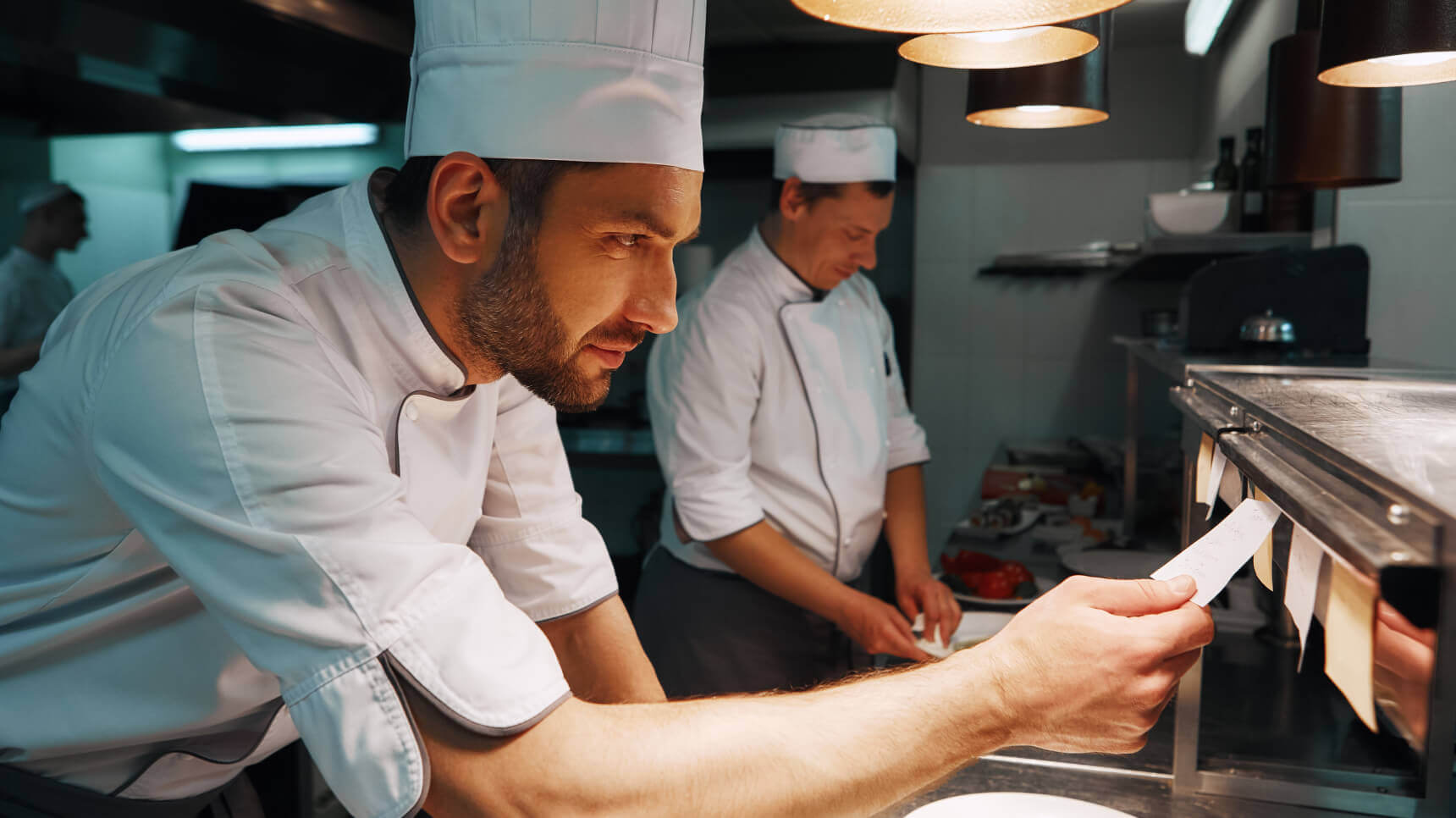
The eRun POS system supports over 20 kitchen printing stations, flexibly accommodating various types of kitchen printing. Whether for dine-in, takeout, or delivery, it meets the needs of kitchen output. Even for tea shop models, the POS system can print adhesive labels to assist with drink preparation. Kitchen printing stations can print add-ons, cancellations, or follow-up orders in red, and automatically switch to front-of-house printing if a kitchen printer fails – ensuring a seamless and more effective workflow.
Detailed Combo & Customization Options
Setting up an accurate menu that aligns with ordering operations is key to smooth restaurant operations, especially for establishments offering combo meals. Our restaurant management system allows categorization of combo contents (e.g., appetizers, main courses, desserts, and drinks), specifies the required quantity for each category, and displays quantity prompts – preventing incorrect orders.
Accurate communication between front-of-house and kitchen improves kitchen efficiency while ensuring customer satisfaction. eRun helps you prepare a full set of modification messages and customer preference options transmitted from the POS to the kitchen, accelerating information flow between front and back. Modification options can deduct inventory materials and even include subcategories for clear organization. New options not yet set up can be entered instantly, preventing communication barriers.
System Preset Menus
Restaurant work is fast-paced, and frequently updating menus adds pressure. The eRun restaurant management system allows back-office staff to batch-enter menus, customize menu availability periods, set different prices by time period, automatically update breakfast/lunch/tea/dinner menus, and pre-set menus or adjust prices for special holidays – automatically switching based on preset dates. To facilitate front-of-house operations, the POS system also supports floating seafood prices or automatic pricing by weight input, optimizing management processes for greater efficiency.
Smart Kitchen Display System (KDS)
To improve kitchen operations, eRun offers a smart kitchen display system that requires only an iPad or an affordable tablet. This allows restaurant businesses to fully digitize order receipt – eco-friendly and paperless, effectively tracking orders, checking cooking times, and confirming completed output. Advanced system features help chefs aggregate orders by item or ingredient, coordinate different stations for orderly meal preparation, and achieve refined back-end management for restaurant POS operations.
Efficient Checkout Service | E-Payments Enhance Customer Experience
Electronic Payments
The eRun POS system offers a comprehensive range of electronic payment methods, seamlessly connecting to online payment gateways and supporting various payment terminals. It helps restaurant businesses step into the digital era, improving operational efficiency and optimizing the customer payment experience.
20 Electronic Payment Methods
Payment options include tap, swipe, or QR code scanning :






Seamless Connection to Online Payment Gateways
Available for counter payment, table payment, self-service ordering, and online stores:





Payment Terminal
Process payment anytime, anywhere:
- Landi A8
- N5
- PAX A920
Digital Receipts
The restaurant POS sends digital receipts via the cloud – eco-friendly, reducing paper costs, and enhancing the post-purchase customer experience.
Checkout Service
The quality of checkout service directly impacts a restaurant’s brand image. eRun carefully designs multiple service features to help restaurant businesses provide effective and smooth checkout services.
Restaurants can choose to print barcodes on menu sheets for fast scanning at checkout. The POS system automatically calculates change, avoiding errors. Cashiers can also simply input the quantity of each denomination, and the system auto-calculates the total amount.
For restaurants requiring split payment, the POS system offers three split methods: multiple cards per check with card stickers, split by amount, or split by item.
When discounts are needed at checkout, the POS supports item‑level discounts, whole‑check discounts, gift vouchers, and member point redemptions. On special days, service charges or taxes can be added or waived instantly.
For restaurants that host business entertainment, individual items, multiple items, or the entire check can be set as “comped.” The POS system allows preset monthly comp limits for managers and provides detailed reports listing the person responsible and the comp amount – helping restaurants monitor effectively.
The POS system supports multiple shifts per day, with options for simple or detailed closing reports. It also supports multi‑currency, multiple cash register checkout, and instant language switching – flexible and convenient.
Strengthen Marketing Strategy with POS System | Boost Customer Loyalty
Digital & Diversified Loyalty Program
eRun helps restaurant businesses attract members via QR codes, combined with coupon and reward engines, to create a digital and diversified loyalty program – retaining high-value customers while increasing revenue and building the brand.
Highly Scalable Loyalty Program
The loyalty program built into the eRun POS system offers strong scalability. Member rewards and coupons can be flexibly applied from a single store to regional branches of a chain, or across different brands or all outlets within the enterprise. All member data can be centrally managed in the backend, improving overall business efficiency.
Manage Members & Identify High-Value Customers
Restaurants can display QR codes in-store and on online self-ordering systems, allowing customers to automatically register as members. The system supports creating member tiers, with automatic upgrades, downgrades, or renewals based on spending amount and frequency. It also lets businesses segment customers by member attributes, purchase history, product interests, and more – designing targeted reward programs, communicating precisely, and building an effective customer loyalty strategy.
Multiple Member Offers to Reward Loyal Customers
The POS system supports over 100 preset member discount rules, including member discounts, points, tiered rewards, food redemptions, and birthday benefits – giving loyal customers a better dining experience and increasing brand affinity. Members can also store cash value for dining, with discounts or cashback to encourage repeat purchases.
Boost Revenue with Various Vouchers
The loyalty program can distribute cash vouchers, discount vouchers, food redemption vouchers, or promo-rule-based coupons (e.g., “Buy 3 Get 1 Free” on beer during happy hour). All types of vouchers or coupons can be precisely issued via the member app, with serial numbers for effective monitoring.
Member App Enhances Customer Engagement
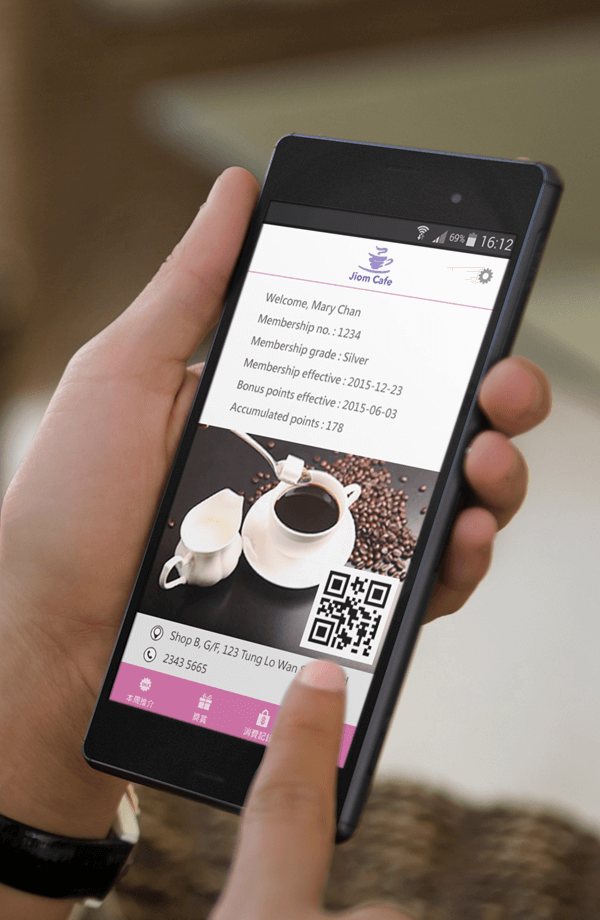
The member app, seamlessly connected to the POS, lets customers automatically become members when scanning QR codes to order – playing a key role in member acquisition. Restaurants can fully engage with customers through the app, pushing notifications about new dishes, promotions, and offers – effectively increasing repeat visits and revenue. The app displays past dining records, stored value balance, accumulated points, and point expiry dates, allowing customers to redeem rewards in a timely manner.
Analyze Consumer Behavior to Plan Marketing Strateg y
You can check member points, stored value balance, purchase details, and past dining records anytime on your mobile or backend, and collect customer feedback on food and service. eRun provides visual reports, allowing restaurant businesses to deeply analyze member conversion rates, dining frequency, average check value, top-spending segments, coupon usage status, and more – assessing whether member promotion campaigns achieve expected results and promptly planning or adjusting precise marketing strategies.
Combo & Promotional Rules
The restaurant marketing landscape is complex and highly competitive. The eRun restaurant management system includes a powerful combo and promotional engine, helping restaurants formulate effective marketing strategies and enhance competitiveness.
Any combo can be configured with a drink or add-on item. All promotional rules can offer discounts as a percentage or fixed amount. The system automatically calculates and verifies whether conditions are met, and customer receipts clearly list the benefits received.
The promotional engine provides over 300 promo rules, allowing flexible setting of discount conditions based on individual items, food categories, date, time, store, or holiday – enabling restaurant businesses to create customized promotion plans that meet their needs.
The promotional engine is simple and easy to use. In the backend, you can set promotions for a single store, all stores in a chain, or designated stores – with just a few clicks. You can also apply service charges and discounts by time slot, or set effective dates and usage limits for offers. The engine also supports cash vouchers or gift cards, as well as tiered rewards – using “spend more, save more” promo rules to increase revenue.
Clear Staff Roles | Robust Supervision
We help you establish a comprehensive system monitoring and security framework, granting employees appropriate permissions based on roles and responsibilities to carry out daily operations. Employee permission settings can be refined down to each button or hidden report costs.
Order Inquiry
Employees can check unpaid and paid dine-in/delivery orders, canceled orders, and historical receipts at any time. Historical receipts can be quickly searched using multiple filters, and receipts can be reprinted with instant language switching. Only authorized employees can access sales data, modify orders, or change payment methods.
Monitoring & Security
The restaurant POS system includes attendance management to record employee clock‑in/out times. Staff can log in using a password or smart card, with an auto‑logout feature after system idle time. Detailed logs of order modifications, cancellations, voided orders, deleted items, and discounts are maintained. Table transfers, splits, and cancellations are also traceable – helping restaurants fully monitor daily operations.

Harness Data | Cloud Reporting for Smart Decisions
The eRun POS system provides high‑efficiency, low‑cost data analysis tools, helping restaurant businesses easily access real‑time, actionable data for operational decision‑making – guiding them toward success.
Comprehensive Reporting & Analysis
The restaurant management system delivers daily sales data by time slot and item, monthly sales statistics, revenue and item sales, time‑slot performance, payment method breakdowns, and credit card transactions. Restaurants using inventory and cost control systems can also perform in‑depth analysis of gross profit, costs, and discounts. eRun’s unique analysis tools support multi‑dimensional statistics with various filters, generating reports instantly.

Cloud Account Overview – Full Control at Your Fingertips
- Access cloud reports anytime, anywhere, on any device
View on all mobile devices or desktop computers - Real‑time display of revenue for all stores
- Set annual/monthly targets for the entire company and individual stores
- Clearly compare current performance against annual/monthly goals
- Display data for the past 7 days, 6 months, and 3 years
Compare revenue with the same month over the past three years - Access inventory reports by category and item for any store at any time
- Instantly review member information and all purchase records
- Save favorite reports in a personal, permission‑controlled folder
- Export all reports to Excel
Award-Winning Cost Control | Sharpen Restaurant Edge
eRun’s restaurant inventory and cost management system won the Gold Award at the 2018 Hong Kong ICT Awards – Business Solution (SME) category. This honor confirms that this revolutionary and innovative cost management system enables all types of restaurants to break through traditional cost management limitations and enhance competitiveness.

Product & Recipe Setup
The POS system features a user-friendly design to help restaurants set up ingredient recipes for all finished and semi-finished products. It supports detailed management down to five levels of raw material recipes, flexibly handles box/piece relationships for raw materials, accepts assembly/disassembly, and deducts raw material inventory. Large volumes of product data can be imported/exported via Excel, allowing restaurants to quickly add, delete, or update items.
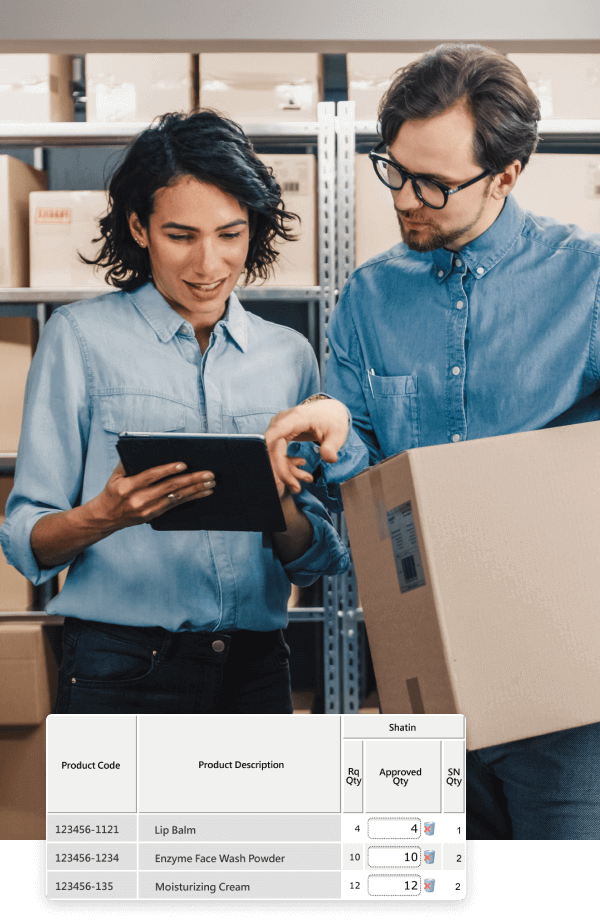
Complete Transaction Workflow
eRun integrates all your transaction documents and automatically drives the POS system to update inventory and costs in sequence at any time.
Replenishment
A replenishment request approval workflow is available. You can choose to auto‑generate replenishment requests based on sales volume or minimum stock levels. Replenishment requests from each store are automatically aggregated into a central raw material replenishment request. The replenishment request auto‑generates purchase orders and can automatically split them by supplier. Purchase orders then auto‑generate receiving documents – no need for re‑entry.
Stock Transfers
The restaurant management system supports central kitchens, warehouses, and food production centers. It clearly records stock transfers between store warehouses and head office, ensuring inventory accuracy. For easier back‑office operation, all transaction documents are stored in folders by workflow status, with support for spoilage, tasting, and return of damaged goods.
Comprehensive Inventory Management
eRun uses real‑time synchronization technology to update departmental inventory based on purchases, sales, and stock movements. Cloud technology allows all departments to instantly check store warehouse stock levels and detailed inventory changes on mobile devices. The system includes an easy physical counting function, supports mobile device counting, and allows full or partial inventory counting – giving restaurants flexible handling of tedious stocktaking.
Cost Management
The restaurant management system enables management to view ingredient costs anytime on any platform and mobile device. It includes a dashboard showing daily consumption per store and the month‑to‑date cost of ingredients used, providing sufficient data for management to flexibly adjust menus in response to cost fluctuations.
eRun’s cost management allows chefs to systematically investigate the types and quantities of raw materials consumed per dish, or the allocation of each raw material to each dish – avoiding overuse of ingredients that would impact profit margins. The system supports daily, monthly, and yearly raw material cost statistics, with options for market value costing, average cost, or FIFO (first‑in, first‑out) cost method. Detailed cost and inventory value analysis reports help management make accurate decisions, control costs, and ensure profitability.
Batch Management
Inventory management is critical to business survival. The food and beverage industry is actively adopting smart batch management solutions to reduce inventory waste, improve operational efficiency, and lower costs and risks. The batch management feature of eRun’s restaurant management system accurately tracks product production dates, follows FIFO (first‑in, first‑out) principles, effectively avoids product expiration issues, and facilitates promotion of near‑expiry items.
In terms of quality traceability and risk control, batch management quickly locks down affected inventory, reduces brand risk, and improves supply chain transparency. Additionally, batch management optimizes inventory turnover, enables dynamic pricing, and meets industry compliance requirements. Many industries – such as fresh food retail and chain pharmacies – apply this management approach to ensure inventory efficiency and compliance.


